Hello everyone,
A quick reminder for anyone finishing the training: you still have one step left after the required modules.
When you've completed all the required modules, the Course Completion Certificate module unlocks at the bottom of the course page. You need to click into it to generate your certificate. It won't be created or sent until you open it.
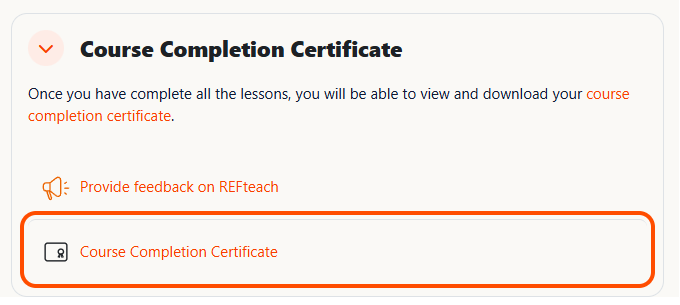
Step 1: Open the Course Completion Certificate module
Scroll to the bottom of the course page and click Course Completion Certificate.
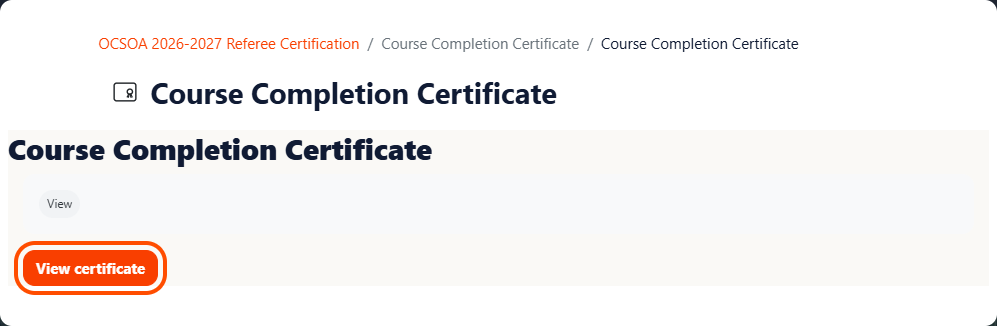
Step 2: Click "View certificate"
On the certificate page, click the orange View certificate button.
After you do this:
- Your certificate is generated right away.
- A copy is automatically emailed to the address on your account.
- Your course completion is officially recorded.
Opening the certificate module is what marks you as having completed the course. If you skip this step, your training won't show as complete, even if you've finished every module.
If the certificate module still looks locked, go back through the course and check that every required module has a completion checkmark. Once they all do, the certificate will become available.
If you run into any problems, email support@refteach.com and we'll help.
Thank you, and congratulations on completing your training!
The REFteach Team